
Save and organize places
Keep places on your map and organize them with visit status, categories and tags.
Save a place
Search for or select a place on the map, review its information and save it. Check the name and position, then add a cover photo, notes, categories or tags to help you recognize it later. Map loading and place search need the relevant network services.
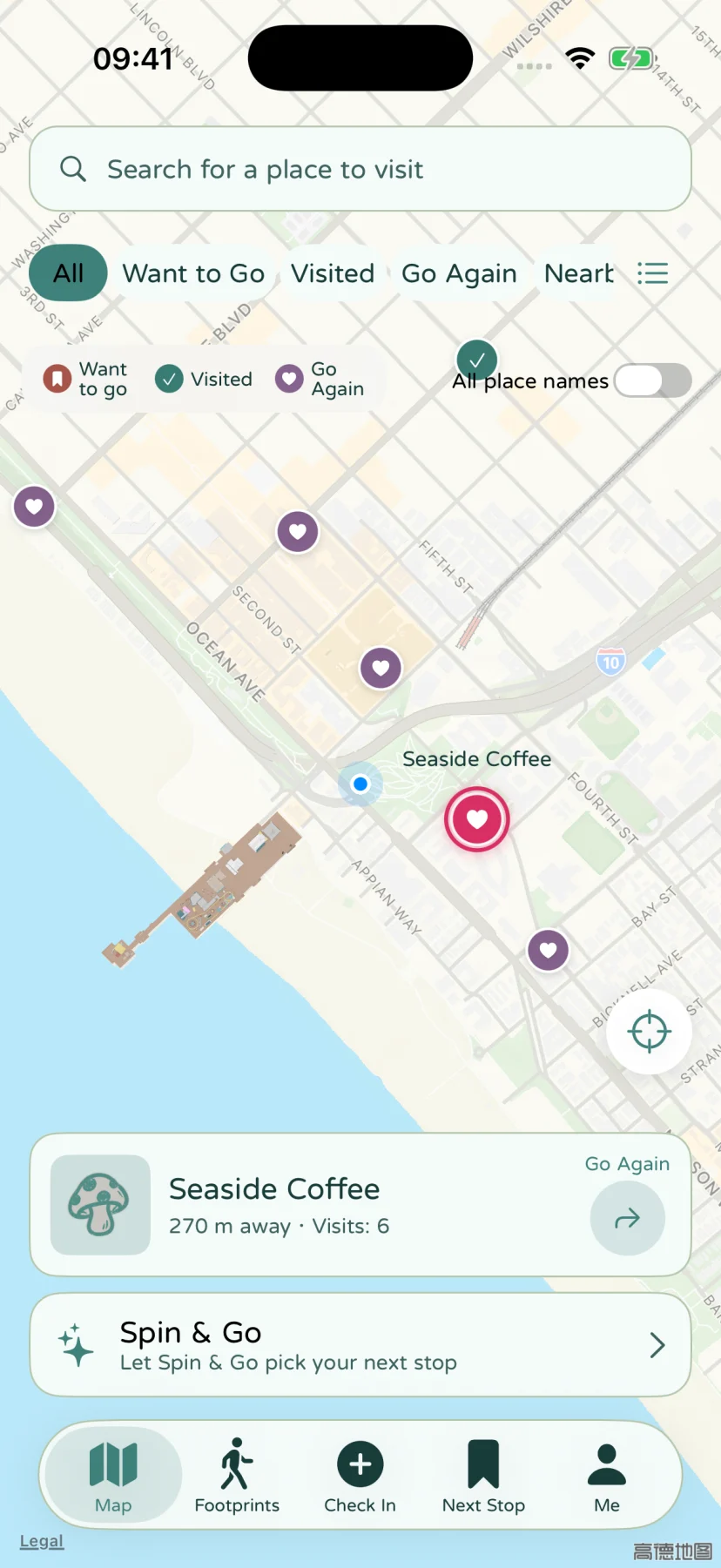
Set a visit status
- Want to go: a place to plan a future visit.
- Been there: somewhere you have already visited.
- Go again: somewhere you would like to revisit.
Status helps organize your collection and filter candidates. Saving a place and making a check-in memory are separate actions. Create a memory to record a particular visit.
Use categories and tags
Categories describe a purpose, such as food or activities. Tags add details such as walks or sunsets. Organize places in a way that suits you; every field does not need to be filled in.
Filter your collection on the map or in the place list. The same kinds of filters are available in Spin & Go.
Get directions
Open a place and use its directions entry to choose an available map app. Apple Maps, Google Maps, Amap and Baidu Maps are supported, depending on installed apps and service availability.
Location permission supports your current position and distance filters. If the position is unexpected, check access and the location result, then see map and location questions.