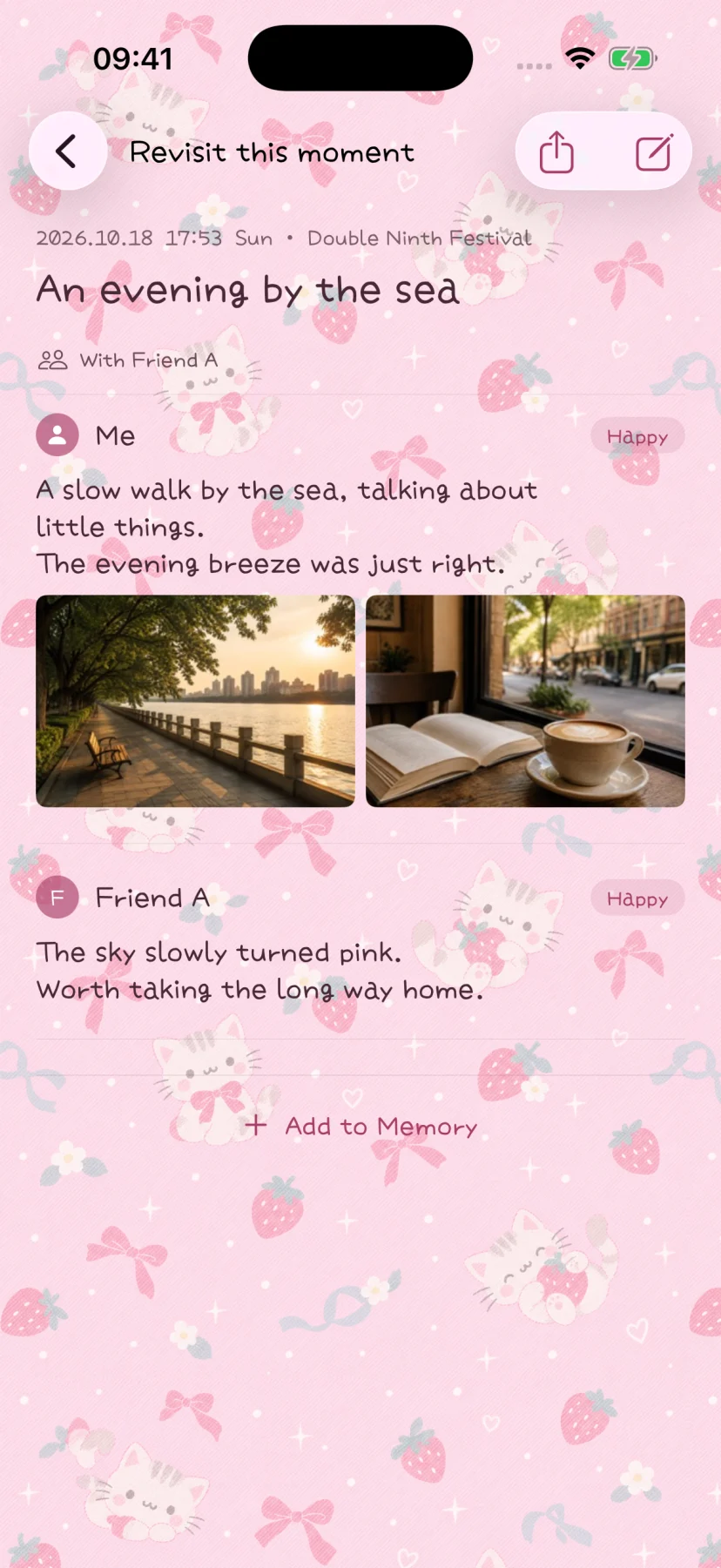
In-person group check-ins
Join a nearby session and keep an independent copy of a shared outing.
A temporary session for people who are together
Group check-ins let nearby participants bring their own writing and selected media into one record of an outing. A host starts a temporary invitation; other people view it through a QR code or a nearby tap interaction, then actively choose to join and confirm the check-in.
This is a local session between nearby devices. It needs the relevant local-network permission, and scanning a QR code needs camera access. It is not an account-based group album, remote invitation service, or continuing cloud sync.
Build the memory with everyone’s contribution
- The host confirms the participant list and selects the place.
- Each participant edits their nickname for this session, writing, mood, and selected photos, videos, or Live Photos.
- Each person actively submits their contribution.
- Everyone stays connected while the app transfers the media and prepares the memory.
- The host completes the session once all listed participants are connected, ready, and fully transferred.
The readiness check matters: seeing someone’s name in the list is not the same as having received all of their media. Let the transfer finish before ending the session.
Understand what is shared
| Shared for this session | Kept out of the transfer protocol |
|---|---|
| Submitted nickname, writing, mood, and selected media | Your private memory title |
| Selected place name, identifier, and coordinates | Your local people profiles |
| Time, participant list, and save receipts | Historical memories and continuous live location |
Review your contribution before submitting it. The feature shares the content you choose for this session; it does not make private material safe to send simply because the connection is local.
Everyone keeps their own copy
When the session finishes, each participant saves an independent memory. Your own writing appears before the other participants’ contributions in your copy. You can then edit, add later thoughts, organize it into memory books, or delete it for yourself.
Those later changes do not sync or notify the others. Deleting your memory cannot remove a copy someone else has already saved. If another person should also remove shared content, you need to communicate with them outside the app.
If someone disconnects
A disconnection does not automatically remove that person from the participant list. Current edits remain, and you can continue after reconnecting nearby. The host should keep the session open while the group reconnects.
A local session lasts up to one hour. Once it closes, there is no developer-run cloud queue to deliver missing content later. For troubleshooting, use the group check-in guide. After saving an important shared memory, include your own copy in a regular backup.
App screen