Themes & colors
Give your journal a different atmosphere with themes and your favorite colors.
Choose the overall interface
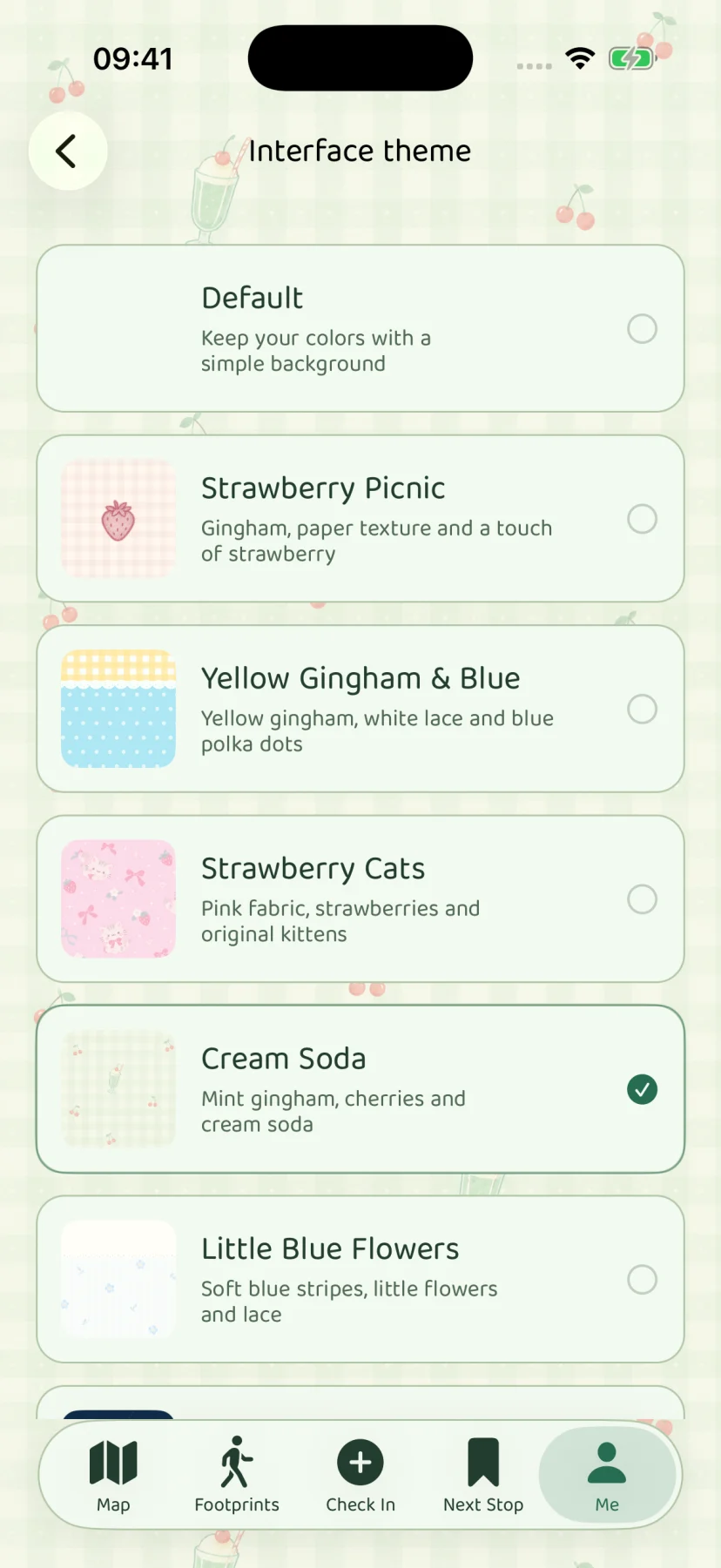
Interface theme changes the visual treatment of the app’s pages, surfaces, and decoration. Open Me → App settings → Interface theme to preview and choose the presentation you prefer. It is the place to change the app’s overall appearance, rather than the content of an individual memory.
A theme change does not create a new journal or publish your entries. Your saved places and memories stay in the same collection.
Set the colors separately
Colors is a distinct setting. It controls the palette used by the appearance, so choosing a different accent color does not require changing the entire interface theme. Use Me → App settings → Colors for this choice.
| Setting | Main purpose |
|---|---|
| Interface theme | The overall visual treatment of pages and surfaces. |
| Colors | The color palette used by the appearance. |
| App font | A compatible text style for the current language. |
Fonts have their own language-compatibility behavior. See Fonts & languages before switching to a language the current font may not support.
Adjust how memories are presented
Footprint layouts change the journal’s presentation of saved entries. A layout is an organizing and reading choice around the same memories; it does not automatically rewrite an entry or turn it into an online post.
Try the layouts against the kind of entries you actually keep. A few short notes and a photo-heavy visit may read differently, so a useful choice is the one that makes your own collection comfortable to revisit.
Prepare sharing deliberately
Share templates are used for images you actively prepare for sharing. They are separate from the app’s overall interface theme and from ongoing storage. Choosing a share template does not automatically send the image anywhere.
Before sending, review the title, companion names, location, and media visible in the result. A decorative presentation can still contain private information. The privacy policy explains the difference between imported media and a share image saved or sent through the system.
Keep your preferences when moving devices
Current full backups include personalization data along with memories and associated media. Export a fresh .stopsandstories backup before a device change, and review the restore summary before replacing existing data. Older files may include different settings, so use the summary for the file you actually selected.
App screen