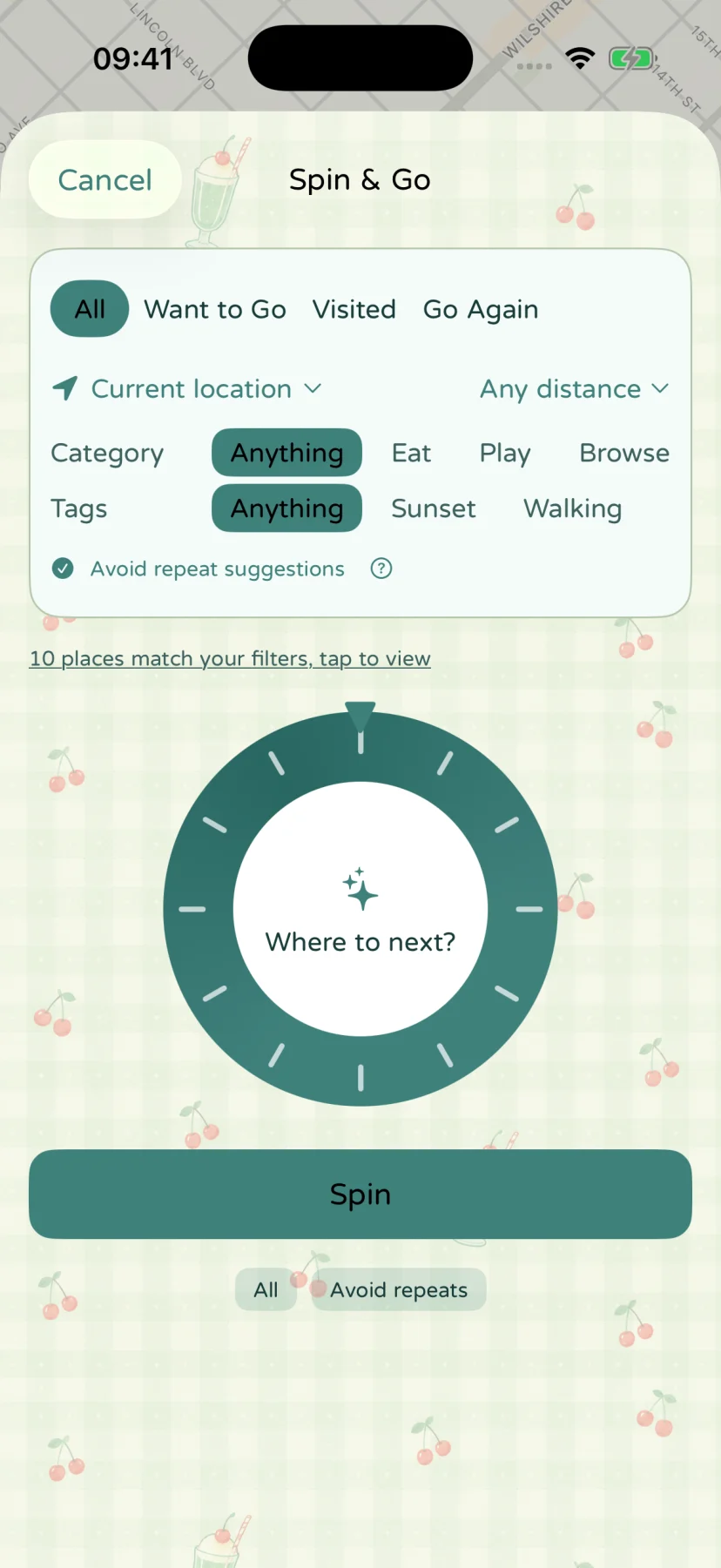
Spin & Go
Filter your own saved places and let the wheel choose your next stop.
Start with your own saved places
Spin & Go is a way to decide between places you have already saved. It does not search an external recommendation service, invent destinations with AI, or rank places by advertising. Add a few genuine options to your place collection, then choose which part of that collection belongs in this decision.
The wheel needs at least two eligible places. If filtering leaves too few, broaden the selection or add another place. You can inspect the choices instead of spinning with a pool that no longer fits your plans.
Narrow the pool before you spin
| Filter | What it helps you decide |
|---|---|
| Place source | Choose Want to Go, Visited, Go Again, or All. |
| Categories | Include the kinds of places that fit this outing. |
| Tags | Match the tags you use to organize your collection. |
| Distance | Limit choices around the available starting point. |
| Avoid recent suggestions | Leave out a recently chosen place while that visit is still unfinished. |
For a short outing, you might choose a nearby area and one category. For an open afternoon, leave the distance unlimited and include more categories. Those are choices you make; the app does not decide your budget, opening hours, or whether a place is suitable today.
What avoiding repeats means
The recent-suggestion option leaves out places you have chosen to visit during the last 24 hours while you have not yet checked in there. Checking in changes that unfinished status. This is a temporary decision aid, not a promise that a destination can never appear again.
A new spin also avoids the immediately previous result where the remaining choices allow it. The wheel is designed to help you move on from indecision; it does not need to become a permanent ranking of your favorite places.
Location is an optional constraint, not a travel history
Distance filtering needs a usable origin. Use an available device location or the app’s custom starting-point option, and check the displayed location status. If distance cannot be established, resolve the location issue or remove that constraint before relying on nearby results.
The app does not need a background record of where you have traveled to choose from saved places. Map display and destination lookups may still need a network connection. See the privacy policy for the distinction between foreground location and local memories.
Turn a result into an outing
Open the selected place, check its details, and start directions when you are ready. Confirm anything that can change, including opening hours or route conditions, with the relevant service or venue.
Afterward, make a memory of the visit. For a simple example of the whole flow, read A small plan for an ordinary afternoon.
App screen