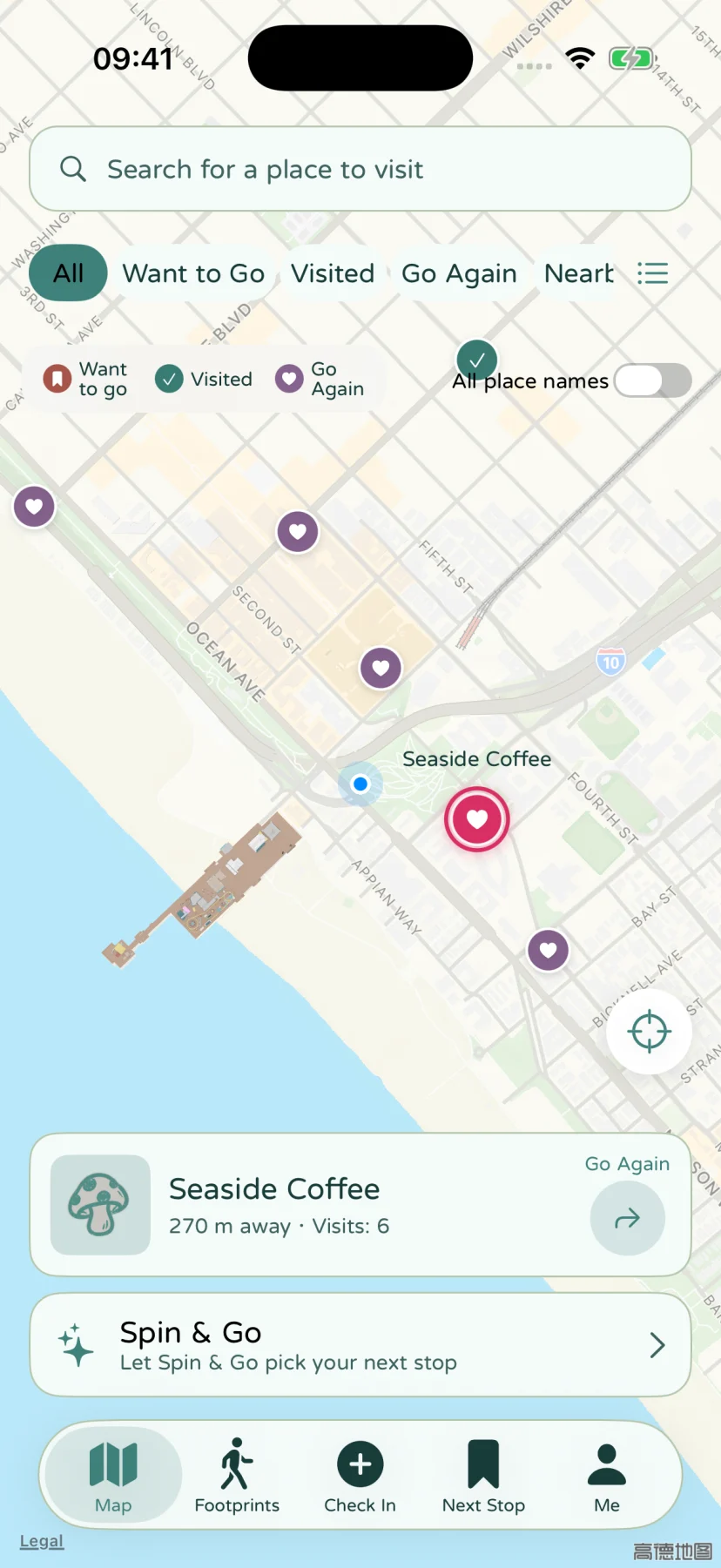
Saved places map
Keep places on your map, organize categories, and find somewhere to go.
Build a map of places you actually want to visit
Save a place when you find it, rather than trying to remember it on the day you want to go out. Search for an Apple Maps place or choose a point on the map, then give it a name that means something to you. A saved place can have a category, tags, a note, and images.
Your list is personal: the app does not fill it with sponsored places or an automatically generated recommendation feed. It is useful for a new destination and for an ordinary place you want to return to.
Keep “want to go” and “go again” useful
The map distinguishes places you want to visit, places you have visited, and places you want to visit again. A memory records a particular visit; the saved place gives those visits a common home. Visiting somewhere does not mean that every future outing there needs a new place entry.
Use categories for broad groups, such as food or walks, and tags for details that cross those groups. For example, a fictional café and a fictional park could both have a “short afternoon” tag. That makes the list easier to filter without creating a separate category for every possible plan.
Find the right part of your collection
The map and place list give you different ways into the same saved places. Choose the status, categories, or tags relevant to the outing, and inspect a place before making a plan. Distance-related features need an available starting location; a saved name alone does not guarantee usable coordinates for every map operation.
The same collection feeds Spin & Go. Organizing a few places now makes the wheel useful later: it can narrow the choices you already care about instead of asking you to browse a fresh list.
Open directions in the map app you use
When a place has a usable destination, open directions in Apple Maps, Google Maps, Amap, or Baidu Maps, depending on installed apps and service availability. Stops & Stories passes the required destination information to the selected service. Navigation then happens in that map app.
Maps, place search, location-name lookups, and navigation depend on network or map-service availability. A local collection is not an offline map download. Foreground location is used when needed; the app does not record a background trail.
After the visit
Create a memory for the visit and attach the words or media you want to keep. Your place collection answers “where could I go?”; your memories answer “what happened when I went?”
If a place name, note, or photo matters to you, include your collection in a regular full backup. Keeping it locally also means making a plan to move it when you change devices.
App screen