
Check in together in person
Start a nearby session, contribute your own records and each keep a copy.
Start and join
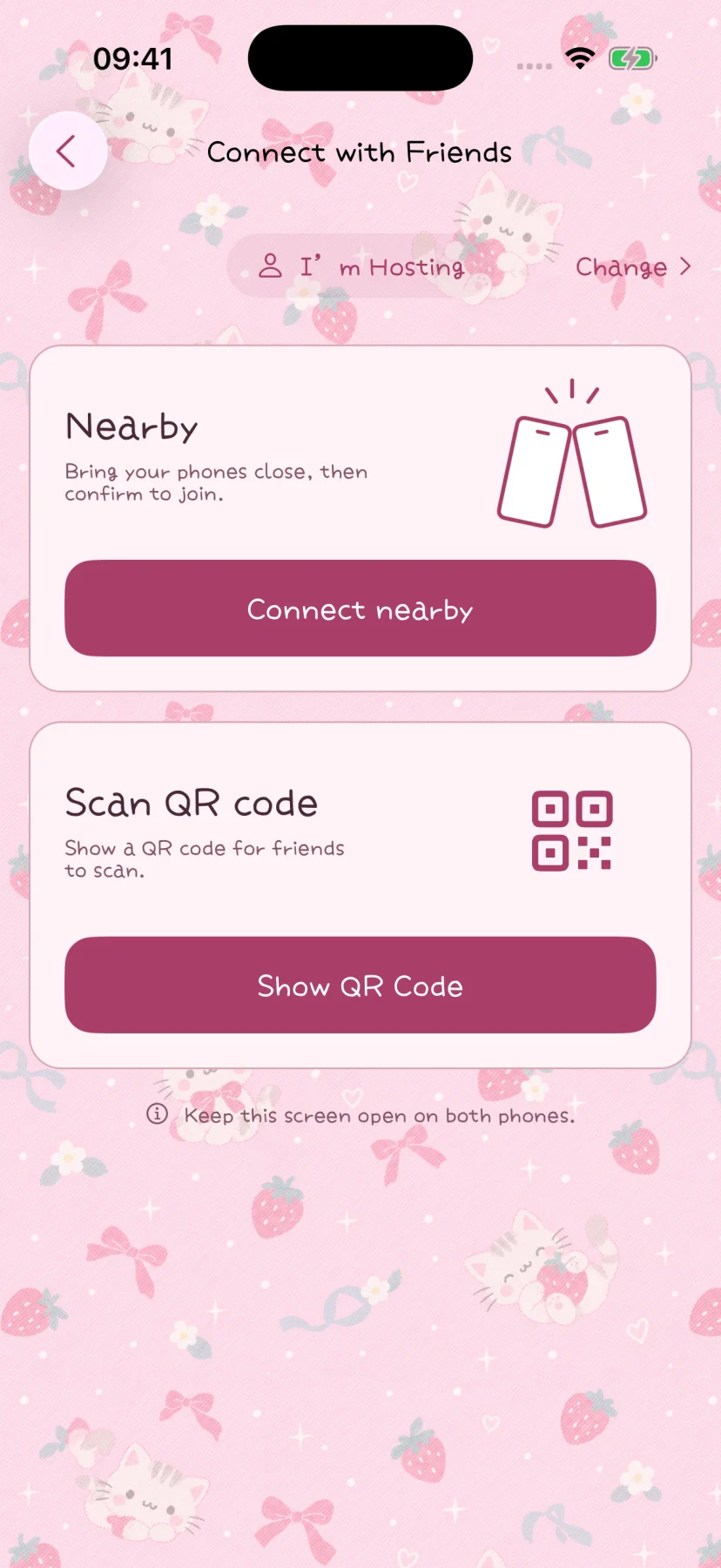
One participant starts a group check-in. Others view the invitation by QR code or a tap, then actively join and confirm. Stay nearby and allow the required local-network access. Scanning also needs camera permission.
The QR code is a nearby invitation, not a persistent cloud link for remote friends.
Submit your contribution
- The host confirms the participants and chooses the place.
- Each person edits their session name, writing, mood and selected media.
- Review and submit your contribution, then stay connected while transfer finishes.
Memory titles remain private. Local people profiles, historical entries and continuous live location are not sent through the protocol.
Finish and keep your copies
The host can finish and save only when everyone on the list is connected, ready and has completed media transfer. A name in the list does not mean all their media has arrived.
Everyone saves an independent memory. Later edits, additions and deletions affect only your own copy; they do not sync to others.
Handle an interruption
Disconnecting does not automatically remove a participant. Keep the session open and reconnect nearby to continue. Sessions last up to one hour, with no cloud delivery after closing.
See connection troubleshooting for permissions and session checks. Once saved, include your copy in a full backup.